featured · Rust terminal UI
mox.
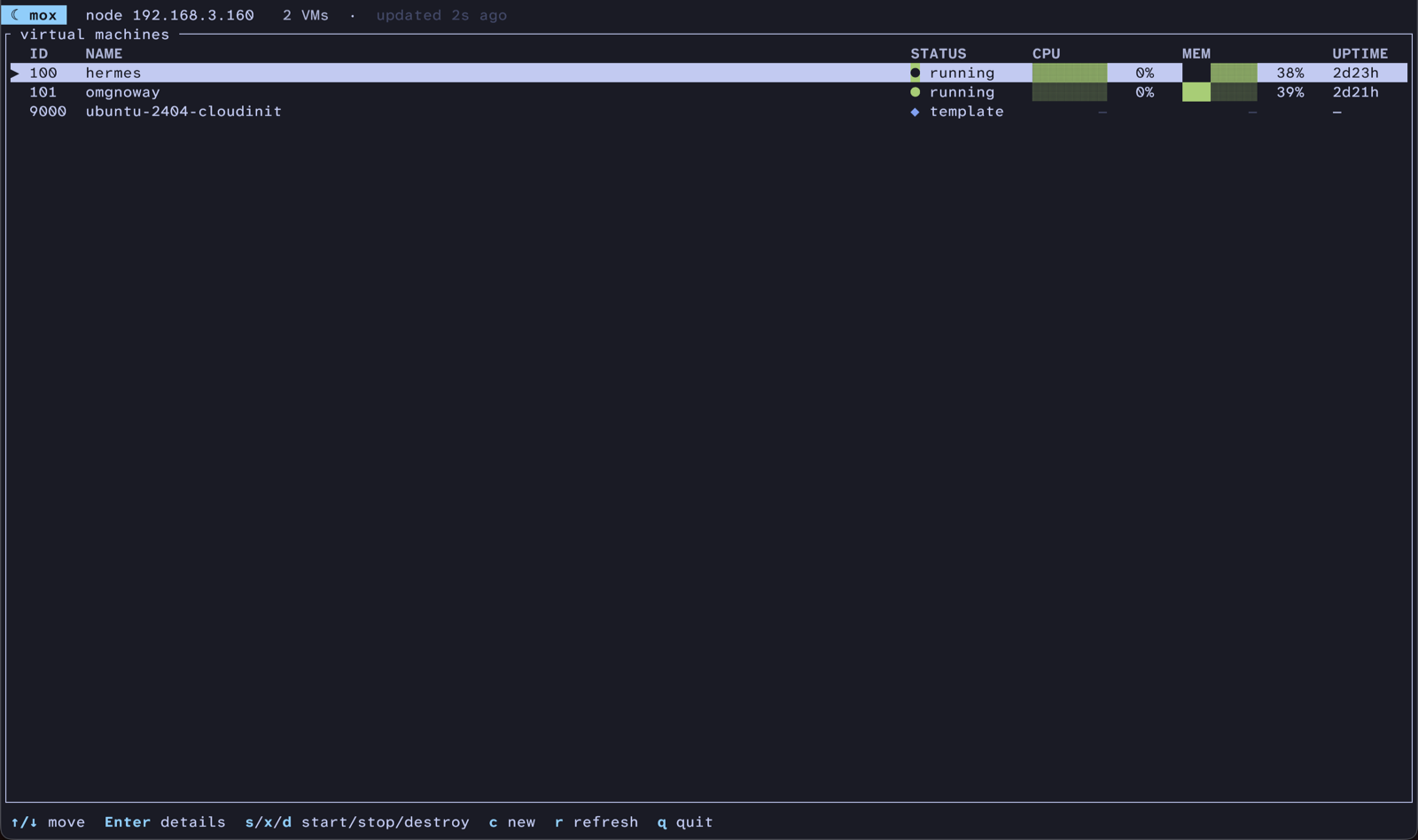
A terminal UI for managing Proxmox VMs — think k9s for VMs. mox reaches a node over SSH and drives Proxmox’s native pvesh/qm commands, so it works against a stock install with no agent or API server — just SSH key access.
Why I built it
Checking on my Proxmox VMs meant SSHing into the node and squinting at qm list, or clicking around the web UI. I wanted the k9s experience — a live view in the terminal that just shows me what’s running and lets me act on it. mox is that view. It leans on the SSH automation key I already use to manage the node, so there was nothing new to set up.
Highlights
SSH-native, zero setup
Drives Proxmox’s own pvesh/qm commands over SSH against a stock node. No agent, no API token — just an SSH key you already have.
A live dashboard
A full-screen TUI with colored status dots, CPU and memory gauges, and keyboard navigation, auto-refreshing every three seconds.
Scriptable too
The bare mox launches the dashboard; mox list prints a plain table (or JSON with --json) that pipes cleanly into other tools.
Lean by design
Built on ratatui and crossterm with no async runtime — background refresh is a std thread over an mpsc channel, so the binary stays small.
Commands
-
moxLaunch the live full-screen dashboard. -
mox list [--json]Print a scriptable table of VMs (or a JSON array). -
mox initInteractive setup wizard; writes the native config. -
mox doctorRead-only preflight: connection + node summary. -
mox setup-accessOne-time bootstrap of the SSH automation key. -
mox templateBuild the base cloud-init template on the node.
Stack
- Rust
- ratatui
- crossterm
- clap
- serde
- SSH
- Proxmox
// heads up: mox is largely vibe-coded and runs qm/pvesh commands over SSH, including destructive ones. use it against a node you can afford to break.