A Proxmox TUI That Only Needs SSH
Tags:#rust#homelabProxmox has a perfectly good web UI on port 8006. I still wanted the thing k9s gives you for Kubernetes: one keystroke from “what’s running” to “start that,” without leaving the terminal. So I built mox, a Rust TUI for Proxmox VMs.
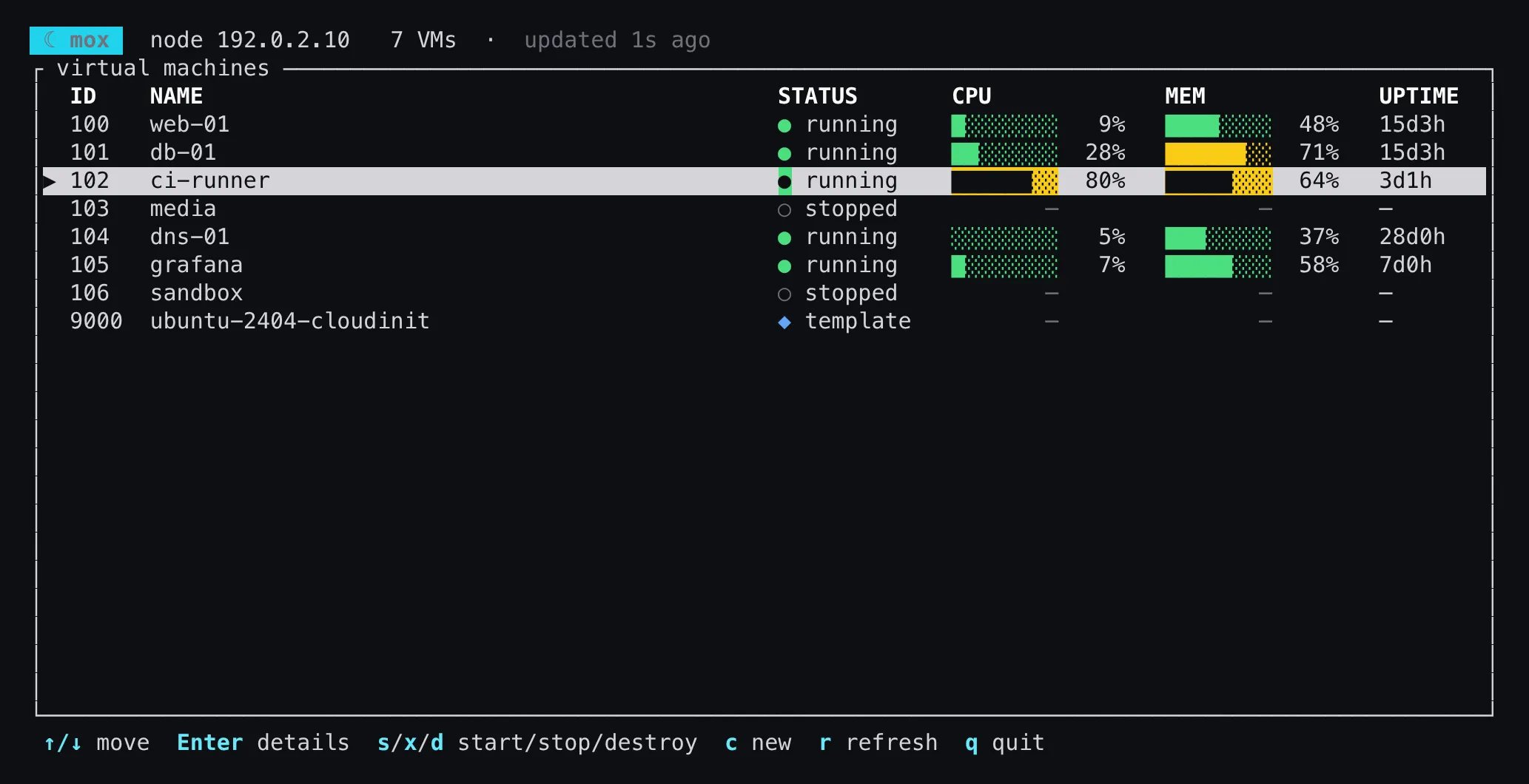
No API, just SSH
The Proxmox REST API is the obvious way to build something like this. For a tool like this it means an API token, which means creating a user or token in the Proxmox UI, picking privileges, and storing a secret somewhere. I already had SSH key access to my node, and the node already has pvesh and qm, which can return JSON:
pvesh get /cluster/resources --type vm --output-format jsonThat one call returns every VM with its status, live CPU and memory, disk size and uptime. So mox runs commands over SSH and parses JSON. It works on a stock Proxmox install with nothing extra on the node, as long as you can ssh root@node. The cost is that there’s no streaming of task progress or metrics history, which the HTTPS API would give me. If I ever want those, the transport is one module and can be swapped.
mox list prints the same data as a plain table for scripts:
node 192.0.2.10

ID     NAME                 STATUS       CPU%   MEM%   UPTIME
100    web-01               running        8%    48%    15d3h
101    db-01                running       30%    71%    15d3h
102    ci-runner            running       82%    64%     3d1h
103    media                stopped        0%     0%        —
104    dns-01               running        0%    37%    28d0h
105    grafana              running        3%    58%     7d0h
106    sandbox              stopped        0%     0%        —
9000   ubuntu-2404-cloudin… template       0%     0%        —
None of those VMs are real, and neither is that node. Because everything goes through ssh, I made these screenshots by putting a short Python script named ssh first on my PATH. It reads the remote command mox asks for and prints canned pvesh and qm JSON. mox has no idea. That’s also a decent argument for the design: the whole boundary between mox and Proxmox is one command and its stdout.
Small on purpose
The dependencies are clap, ratatui with crossterm, serde, serde_json and anyhow. No tokio, no reqwest. The dashboard refreshes every three seconds, and an SSH round trip can take a while, so the UI can’t wait on it. A plain thread and two channels handle that:
let (data_tx, data_rx) = mpsc::channel::<Update>();
let (req_tx, req_rx) = mpsc::channel::<Req>();

thread::spawn(move || {
    let node = Node::new(cfg);
    // ...initial fetch, then:
    loop {
        match req_rx.recv_timeout(REFRESH) {
            Ok(Req::Refresh) | Err(RecvTimeoutError::Timeout) => { /* poll VMs */ }
            Ok(Req::Ips(vmid)) => { /* ask the guest agent */ }
            // ...
        }
    }
});
The fetcher thread wakes up on a timer or when the UI asks for something. The UI thread drains whatever updates are waiting each frame, draws and handles keys. It never blocks on the network.
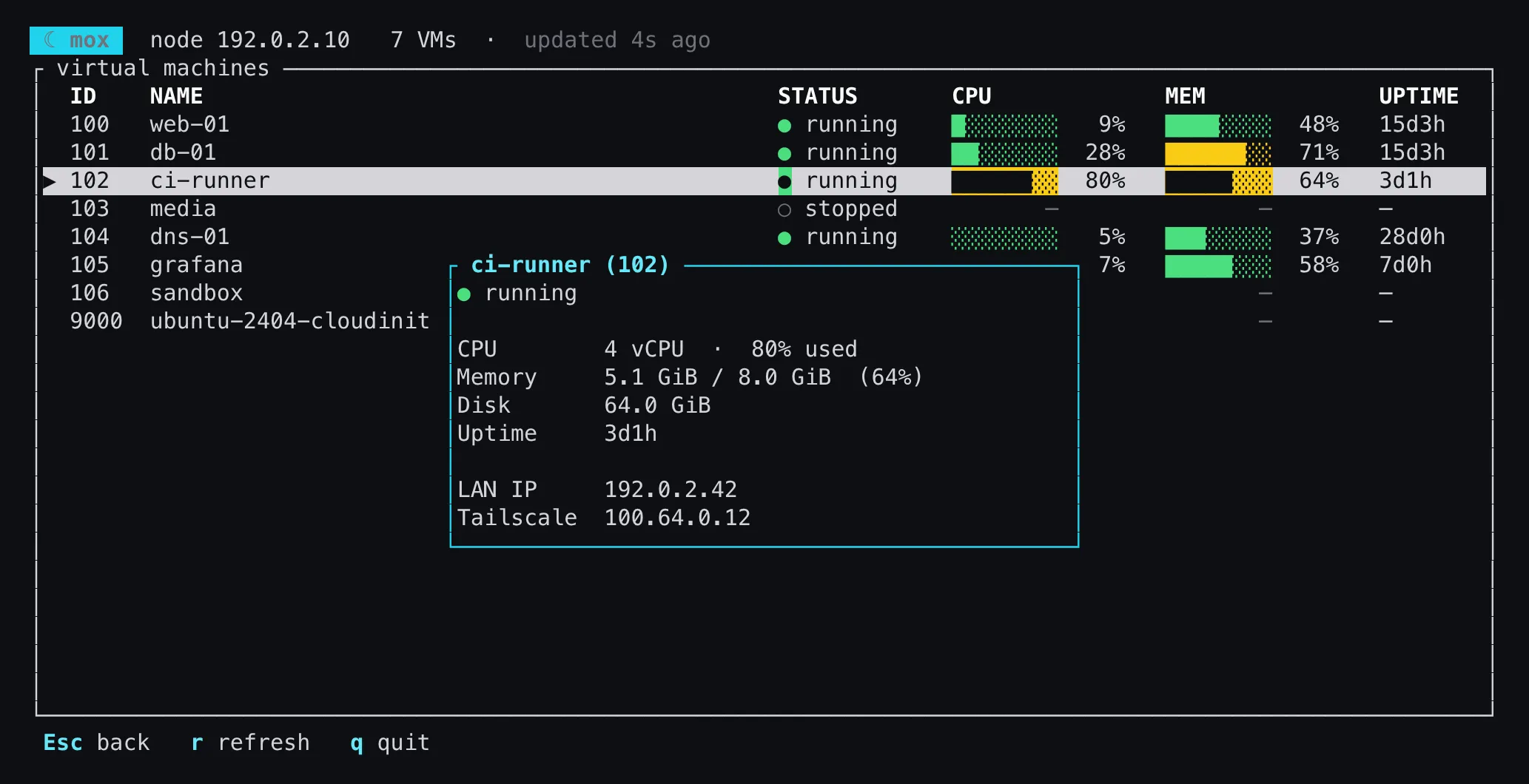
Enter opens a detail view. The LAN and Tailscale addresses come from the QEMU guest agent (qm guest cmd <id> network-get-interfaces), fetched on the background thread, and anything in 100.64.0.0/10 gets counted as Tailscale:
It can delete things
s, x and d start, stop and destroy the selected VM. Destroy runs qm destroy --purge, so it gets a red confirmation box that says so, and a template only offers destroy:
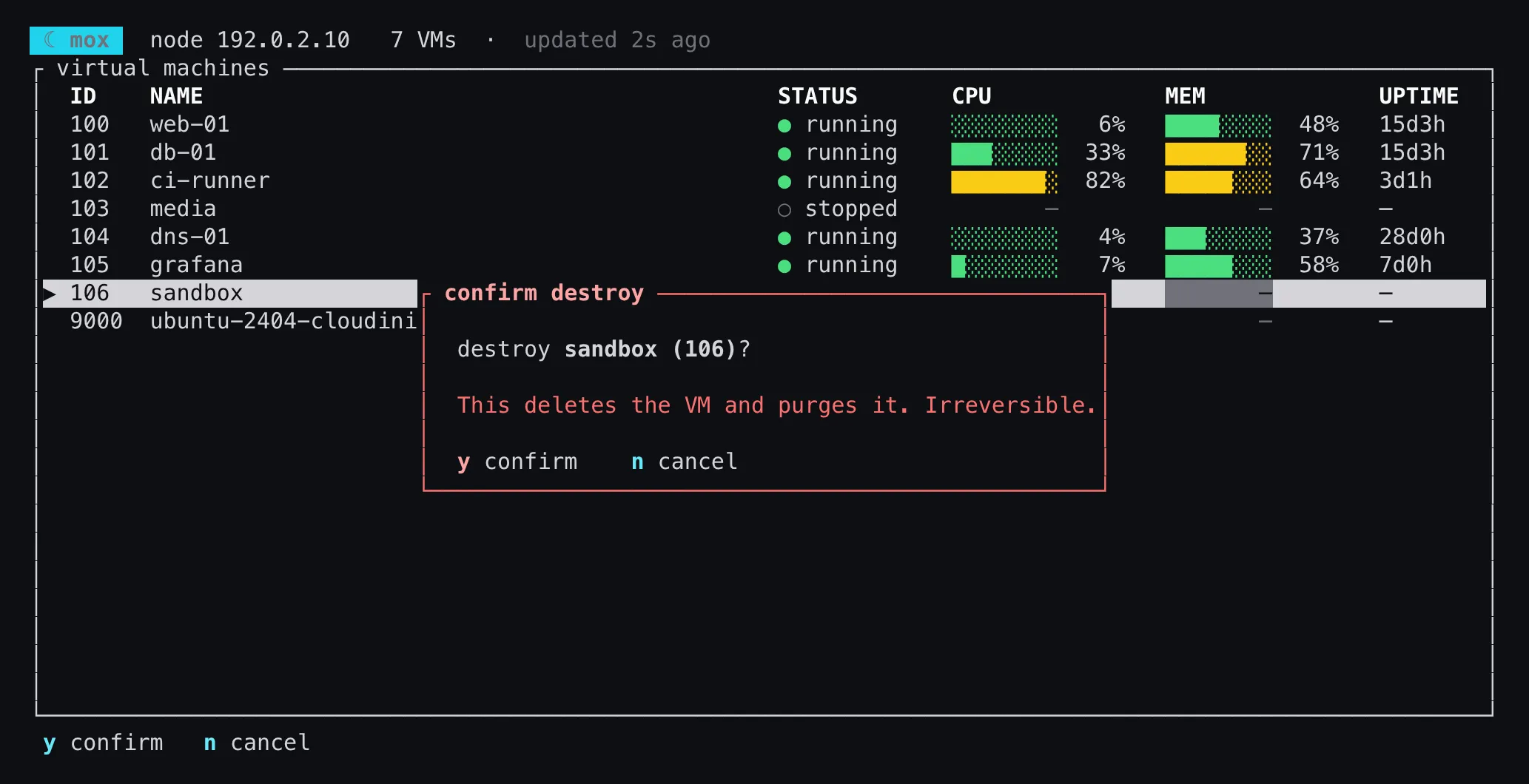
Stop tries a graceful qm shutdown --timeout 60 first and falls back to qm stop. That shutdown can hold the fetcher thread for up to a minute, so the gauges freeze while it runs. It’s written down in the project notes as a known issue, and a thread per action would fix it.
Ported from Bash
mox grew out of pve, a 38 KB Bash script I’d been using to provision Ubuntu cloud-init VMs on the homelab. mox now has its own version of every pve command: list, the status and IP lookups, start/stop/destroy, create, init, setup-access, doctor and template.
c opens a form for a new VM, prefilled from the config and the next free VM ID on the node:
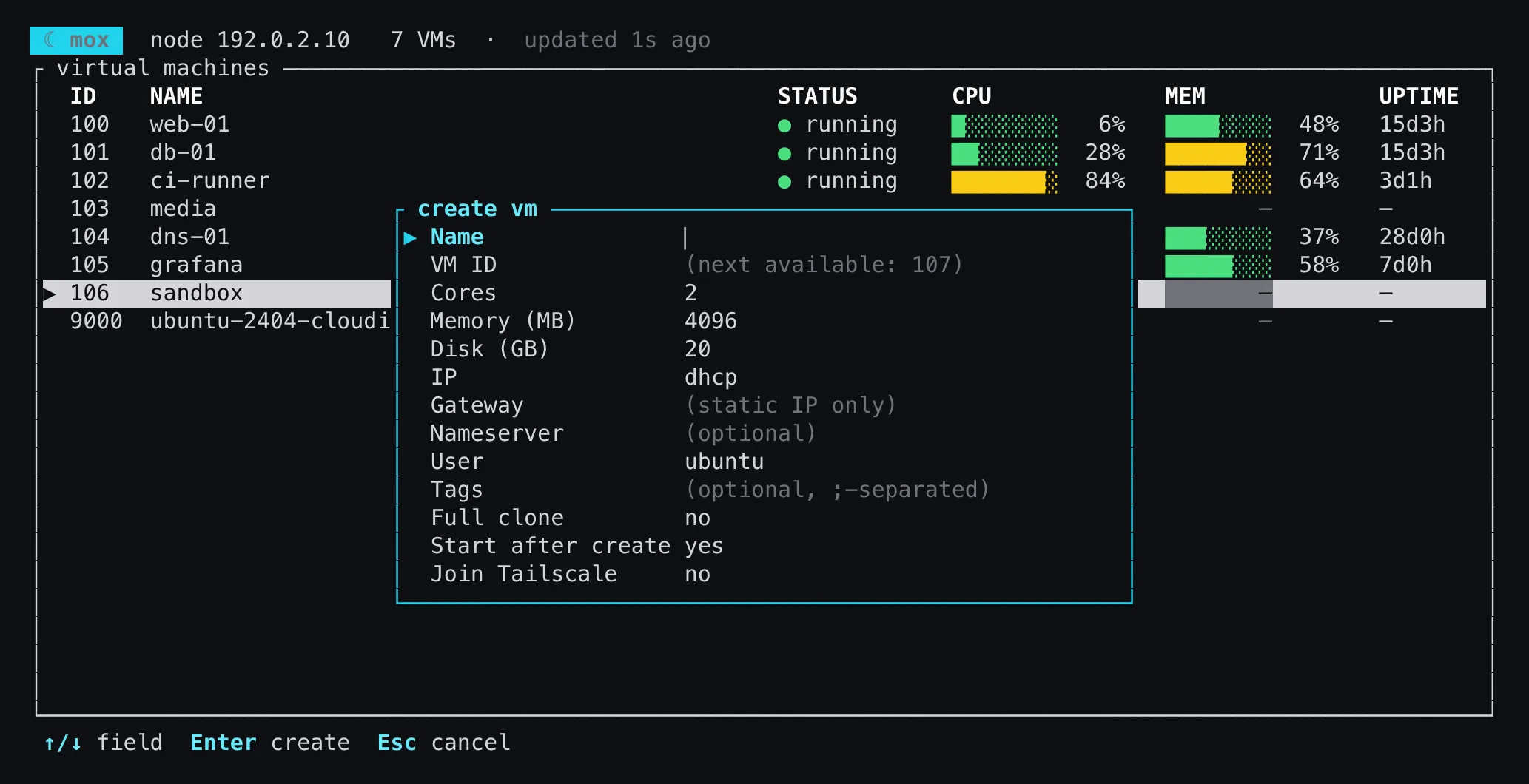
The remote half of create didn’t get rewritten at all. The Bash function’s script is embedded in the binary with include_str!, piped to bash -s -- over SSH, and every argument is shell-quoted before it goes on the command line. A VM name like web; rm -rf / stays a weird VM name. SSH keys are base64-encoded by a 25-line encoder that’s tested against the RFC 4648 vectors, rather than another crate.
One real bug came from mox init, the setup wizard. Pasting the node’s address straight from the browser, with https:// and :8006/ still on it, got saved as the SSH host, and nothing complained until mox doctor couldn’t resolve it. Now the host prompt strips the scheme, any user@, the path and a trailing port, keeps bracketed IPv6 addresses intact, and has a test for that exact paste.
Getting it
The design decisions are written down in the repo’s notes (SSH instead of the API, no async runtime, port the Bash scripts verbatim instead of reinventing them), and the code follows them.
Prebuilt binaries for Linux and macOS, x86_64 and arm64, are on the releases page, each with a SHA-256 checksum.