Finding My Way Back to Old Claude Code Sessions
Tags:#rust#claude-codeUpdated
Update, November 6: waygate-cs has since been renamed wayget, and it reads pi sessions too. The rest of this post uses the old name.
I run a lot of Claude Code sessions. When I wrote this, ~/.claude/projects on my Linux box had 44 project folders in it, each with its own pile of transcripts. Getting back to a specific one means claude --resume in the right directory and scrolling a list of first prompts, which is a bad way to find “the one where it asked me something about the export endpoint on Tuesday.”
So I built waygate-cs, a board for all of them:
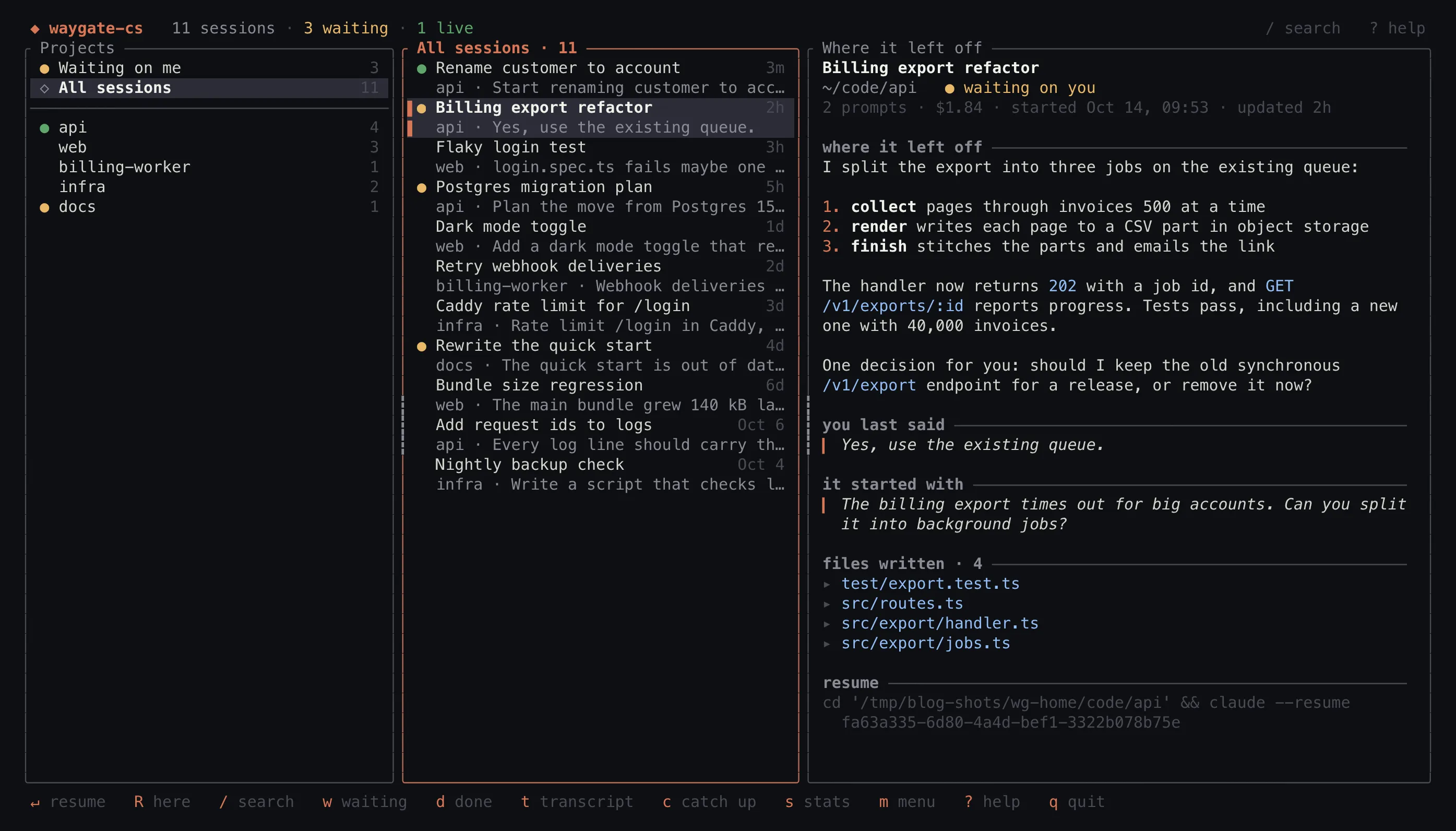
None of these sessions are real. I generated a few fake transcripts and pointed waygate-cs at them with CLAUDE_CONFIG_DIR, because my real sessions are full of work I can’t post.
Reading the transcripts
Claude Code writes every session to ~/.claude/projects/<folder>/<session id>.jsonl, one JSON record per line. waygate-cs reads those files and never writes to them. It keeps its own index cache keyed on each file’s size and modification time, so on a refresh only transcripts that changed get parsed again.
Parsing is the fiddly part, because most of what’s in a transcript isn’t a conversation between me and Claude. Tool results come back as user records. So do hook output, system reminders, the wrappers around slash commands, “[Request interrupted by user]” and the summary Claude Code inserts after compacting. Subagent work shows up as sidechain records. To get “the last thing I typed,” waygate-cs drops all of that, and turns a slash command’s wrapper back into the /command args I actually typed.
For each session it keeps the title, the folder, the first and last prompt, Claude’s last reply, every file it wrote with Write or Edit, which tools it used, any artifacts it published and what it cost. The right pane is built from that. Claude’s last reply is rendered as Markdown by a small renderer in the app, so lists, code and links still look right in a terminal.
Waiting on me
The amber dots are the main feature. A session gets one when Claude spoke last and asked me something. Press w and the middle pane shows only those:
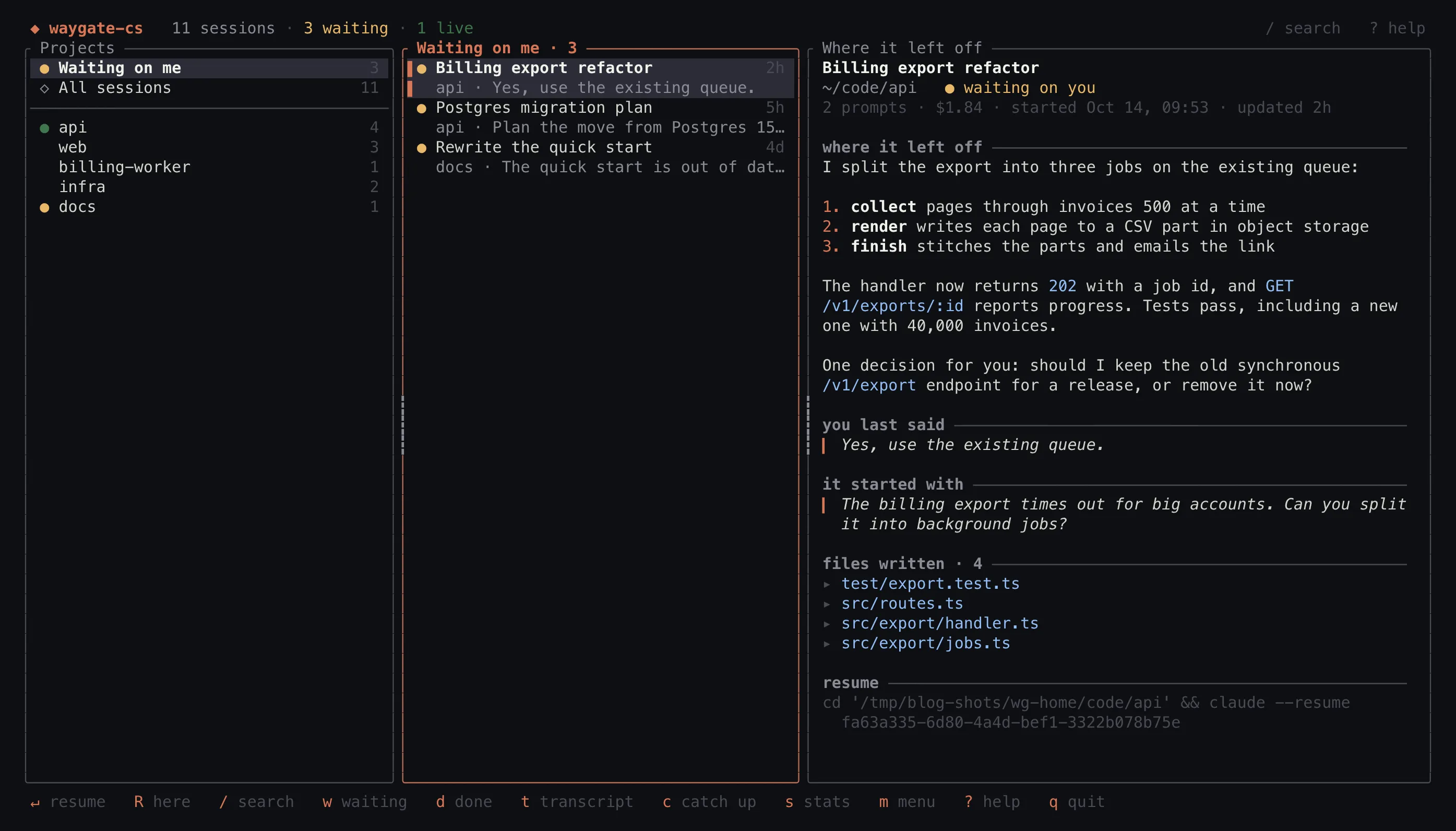
The first version of “asked me something” was a question-mark check. It looks at the last 12 non-empty lines of the reply, skipping code fences and trailing Markdown, and asks whether any of them ends in a question:
fn asks_question(reply: &str) -> bool {
    reply
        .lines()
        .rev()
        .map(str::trim)
        .filter(|l| !l.is_empty() && !l.starts_with("```"))
        .take(12)
        .any(|l| {
            let l = l.trim_end_matches(['*', '_', '`', ')', '"', '\'', ' ']);
            l.ends_with('?') || l.contains("? ")
        })
}
It’s cheap, and it’s wrong in both directions. “Want me to also add tests?” ends in a question mark and needs nothing from me. “Run this and tell me what it prints.” needs something from me and has no question mark at all.
Version 0.5.0 added an optional judge. With WAYGATE_CS_JEV_KEY set, it asks Jev, TypeSafe’s yes/no model, whether the agent needs something from me before the work can go on. The instructions spell out what counts: a question I have to answer, a choice between options, a request for approval, or a request to go do something and come back. Optional offers of more work, rhetorical questions and suggestions I can follow on my own count as no. A session waits at a probability of 0.5 or higher.
Only the last 1,000 bytes of Claude’s last reply get sent, and anything that looks like a credential is masked first: common key prefixes like sk-, ghp_ and AKIA, bearer tokens, values of names like API_KEY=, secret-looking URL parameters, and long runs of mixed letters and digits. Each session is judged once per update and the answer is cached. Until an answer comes back, or if the request fails, the question-mark check still decides.
d marks a session done, and new activity brings it back. Questions older than 14 days drop off on their own.
Getting back in
Enter resumes the selected session with claude --resume, in a new tab, in the session’s own folder, and leaves the board open. In tmux that’s a new window. On macOS it drives Ghostty, iTerm2 or Terminal.app with AppleScript. Anywhere else, it quits and resumes in the same window.
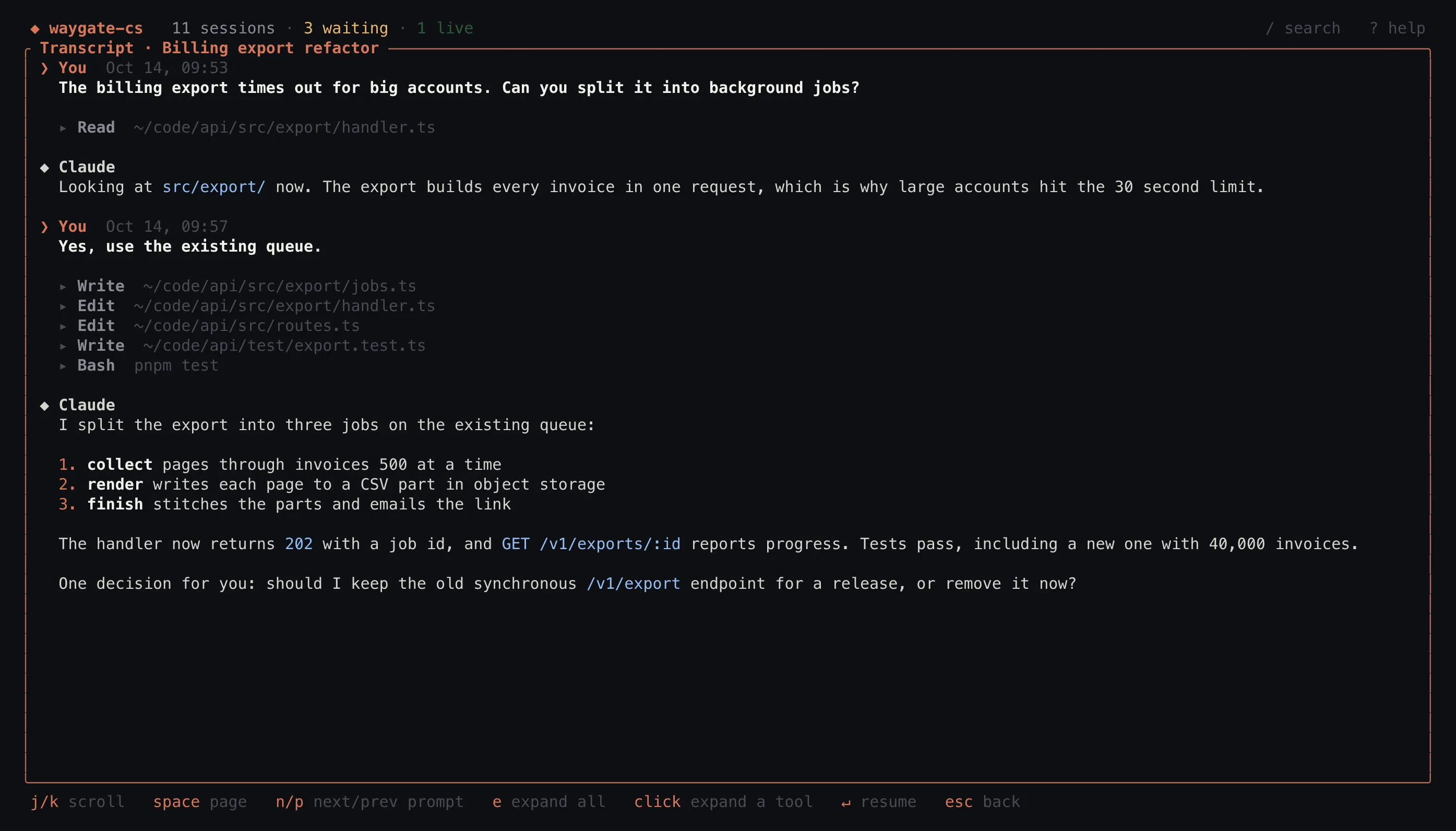
Before resuming, t shows the whole conversation with tool calls folded to one line each, so I can see what happened without scrolling past every file read:
The rest is small stuff:
- Sessions active in the last 90 seconds pulse green, and the board updates as they change.
/fuzzy-matches titles and project names and searches the full text of prompts and replies.sshows sessions per week, cost by project, the most-used tools and the longest threads.casks Haiku, throughclaude -p, for a three-line summary of a session. It only runs when I press the key, costs a few cents and is cached.- Mouse support: click, double-click to resume, right-click for a menu, and drag the pane borders to resize them. The widths are remembered.
It’s Rust and Ratatui, and it runs on macOS and Linux. Releases come with a shell installer, or you can cargo install it from the repo. The first commit was September 30 and 0.5.0 shipped October 5.